Maps Lead Finder
Find local business leads from Google Maps

Map Lead Finder pulls leads from Google Maps, enriches them with emails and phone numbers, exports clean CSV files, and sends the data straight to n8n or your webhook — no copy-pasting, no spreadsheets.
For teams and daily workflows
$49 / One-Time
A short walkthrough: run a search, review the leads, export a CSV, and send the data into n8n.
 WHY TEAMS USE IT
Stop copying data by hand. Map Lead Finder turns Maps results into a clean list you can review, export, and route into the tools you rely on.
Collect structured business listings directly from Google Maps searches — by keyword, city, or area.
Pull contact details where available, including website phone numbers and public email addresses.
Download clean, structured CSV files ready for spreadsheets, CRMs, or outreach tools.
Push each lead into n8n, Make, or any webhook endpoint to feed your existing automations.
What you collectStop copying data by hand. Map Lead Finder pulls phone numbers from lead records and crawls business websites for real, usable email addresses — cleaned up before they hit your workflow.
Crawl contact, about, and footer pages automatically.
Direct from the Google Maps business profile.
Skip noreply@, info@, or entire domains you don't want.
Duplicates removed, formats validated, ready to send.
Export Portable, structured, and ready for whatever tool you already use —
Google Sheets, Excel, your CRM, or your own pipeline.
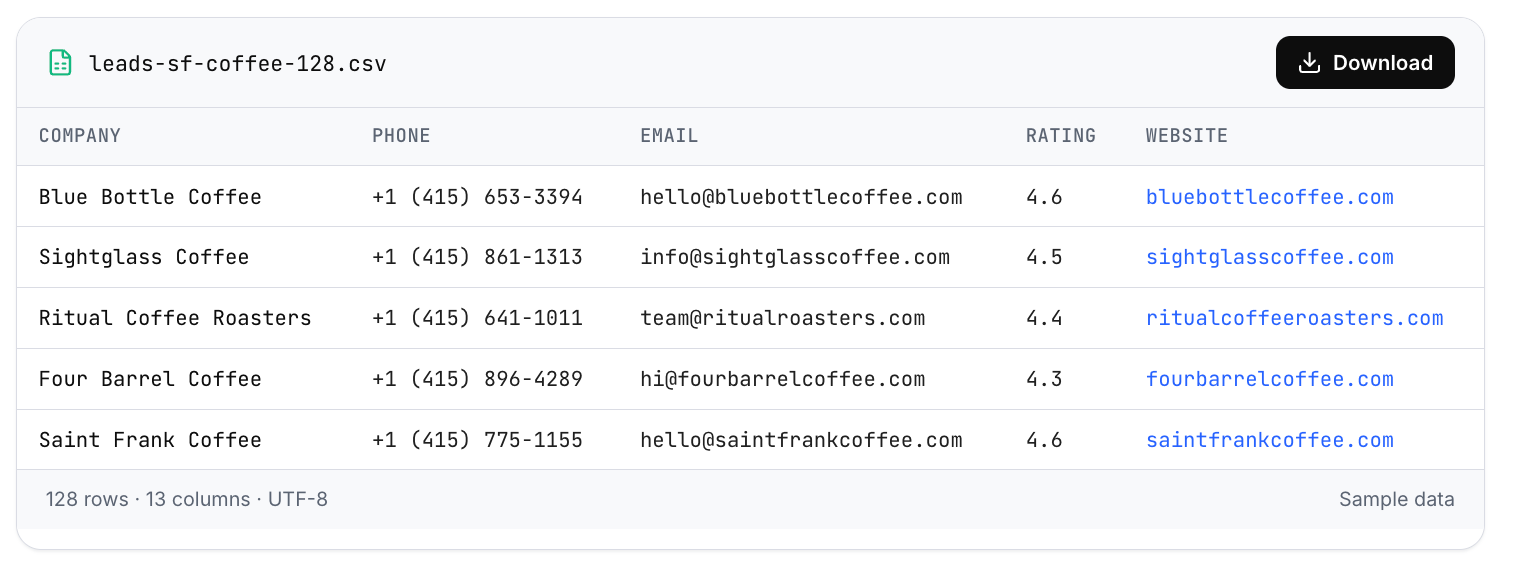
Export the current view, or the full extraction.
Duplicates removed, formats validated, encoding safe.
Google Sheets, Excel, CRMs, Notion, your own pipeline.
AutomationPush extracted leads straight into n8n, trigger webhook workflows, and route usable output into your follow-up systems — the moment extraction finishes.
POST
route
One webhook URL. Fires on every completed run.
Compatible with Make, Zapier, or your own backend.
Push into CRMs, sequencers, or Slack notifications.
FAQIf something isn't covered here, we're happy to answer directly.
It runs inside your browser as a Chrome extension. You search on Google Maps like normal, then Map Lead Finder collects the visible business results — name, category, phone, address, rating, review count, coordinates and website — and organizes them in a clean table you can review before export.
On Pro, the extension visits each business website and extracts publicly available email addresses. You can blacklist domains, filter role emails, and require verified formats before adding a lead to your export.
You are collecting publicly visible business information at normal browsing speed, from your own machine. We still recommend respecting rate limits, robots.txt on target sites, and any local regulations around outreach (GDPR, CAN-SPAM, etc.).
Configure a webhook URL in Settings. Every time you finish an extraction, Map Lead Finder POSTs the JSON payload to that URL — n8n, Make, Zapier, or your own backend. You can also trigger it per-row to route hot leads instantly.
Results stay in your browser until you export them or send them to a webhook you configure.
Install the extension, run your first search, enrich leads with emails, and export a clean CSV or send data directly to n8n via webhooks—all in minutes.
Not affiliated with Google. Review data before export.